
Finance overview
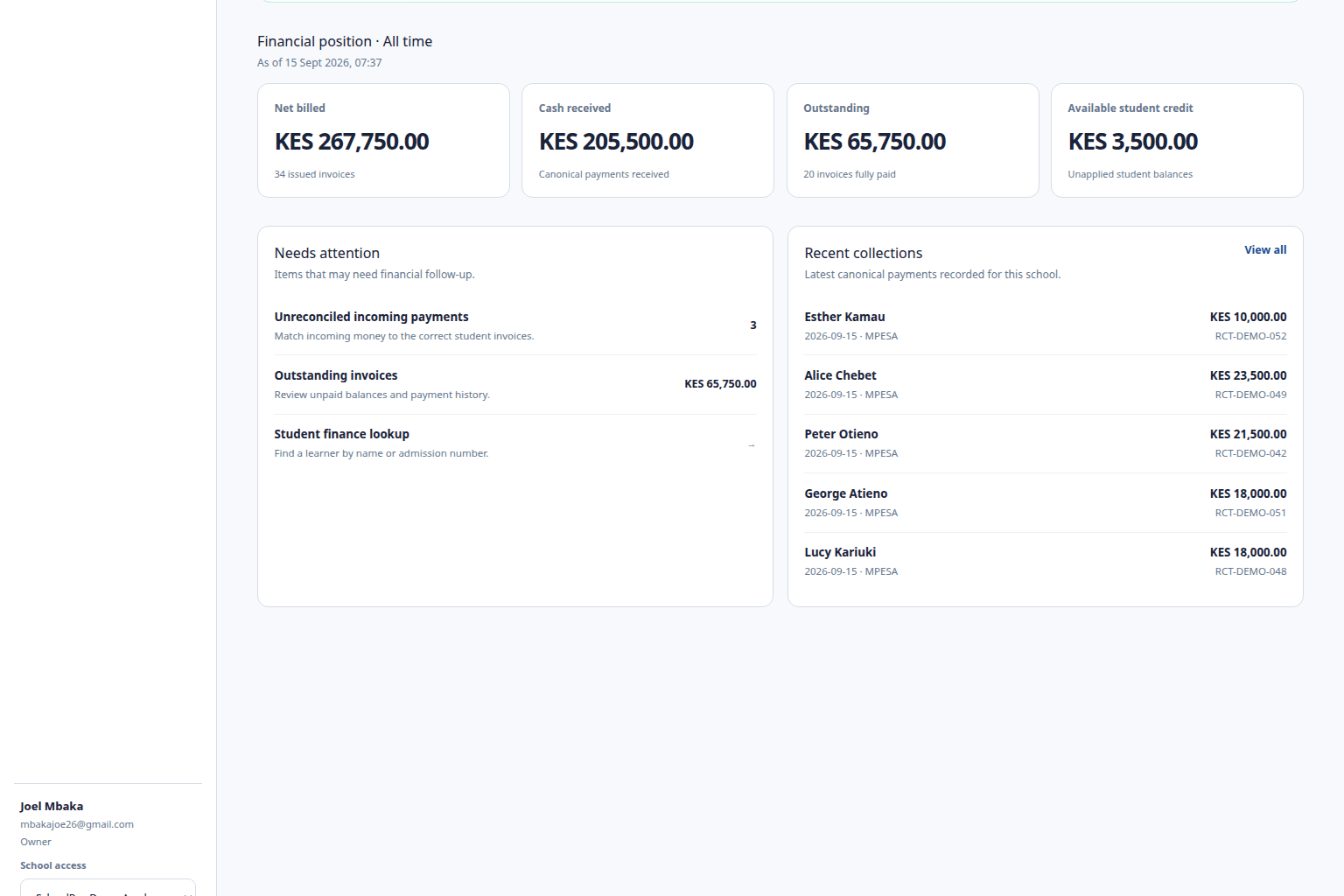
See the school-fee position and move into the underlying operational records.
School finance dashboard Kenya
Move from school-level context to the learner, invoice, payment, reconciliation item, statement, or report behind the number without splitting fee work across spreadsheets and messages.
The operational problem
SchoolPey keeps billing configuration, invoices, payments, balances, reconciliation, receipts, statements, and reports connected to the school and learner records they belong to.
See the school-fee position and move into the underlying operational records.
Open the learner record for invoices, payments, balances, credit, and fee history.
Review canonical payments separately from how money was allocated to invoices.
Investigate incoming payment evidence and converge confirmed money into one payment ledger.
Use the same financial truth for student statements, balances, payment ledgers, and school reports.
Owners/admins configure finance operations while exact-school accountants remain constrained to their school.
How SchoolPey handles the workflow
See the fee operation without losing the active school boundary.
Move into the learner, invoice, payment, reconciliation, or report behind the summary.
Keep the result inside the same billing and payment history rather than creating parallel spreadsheets.
Frequently asked questions
School owners, administrators, and authorized school finance staff use the web dashboard. Exact-school accountants can access the finance workflows allowed to their school.
No. Academic years, terms, grades, and classes are used only where they identify billing context. SchoolPey does not provide exams, marks, attendance, timetables, or curriculum modules.
Yes. SchoolPey connects learner invoices, canonical payments, allocations, outstanding balances, overdue amounts, and available learner credit.
Try the real workflow
Evaluate the fee operation with actual billing, payment, reconciliation, balance, receipt, statement, and reporting workflows before standard billing.
Request a 1-month pilot