
1 · Set up the fees
Define the fee structure, add-ons, term timing, and any learner-specific adjustments that should affect future billing.
School fee operations for schools in Kenya
SchoolPey connects students, guardians, fee structures, invoices, M-Pesa payments, balances, credits, receipts, statements, and reconciliation so your finance team works from one live fee record.
KES 7,000 / month after the pilot. Built for school-fee finance, not academics.
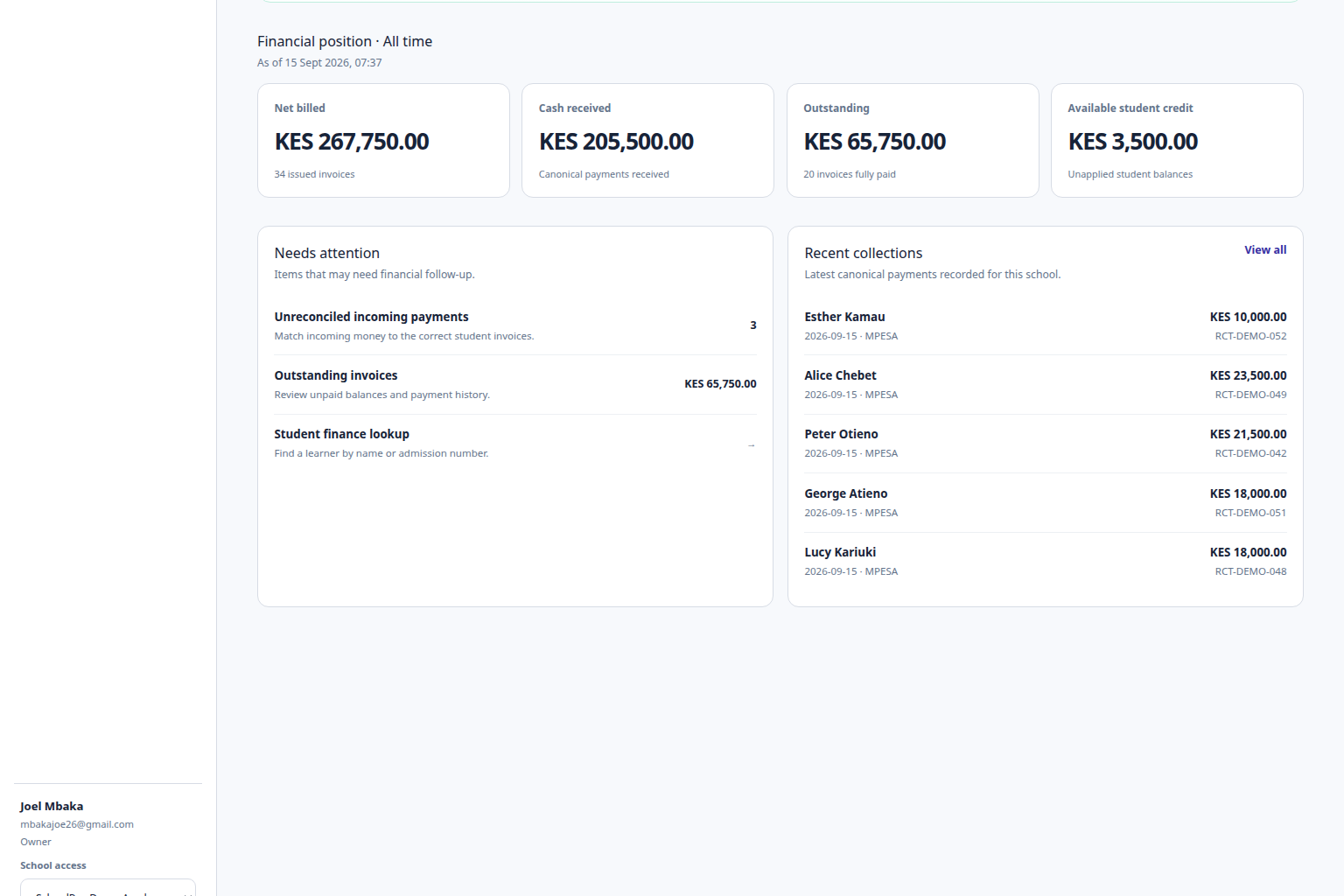
SchoolPey product flow
Follow one connected financial record from what the learner should be billed to what the school actually received and how the balance changed.
1 · Set up the fees
Define the fee structure, add-ons, term timing, and any learner-specific adjustments that should affect future billing.
2 · Issue the learner invoice
SchoolPey creates a durable invoice for the learner and preserves it as a historical financial snapshot.
3 · Parent pays via M-Pesa
An eligible invoice can start the parent M-Pesa flow without SchoolPey ever receiving the parent's M-Pesa PIN.
4 · SchoolPey reconciles the record
The confirmed payment is tied back to the canonical payment ledger, invoice allocation, balance, credit, and receipt history.
One live school-fee record
The dashboard keeps fee setup, invoices, payments, balances, reconciliation, receipts, statements, and reports close to the learner records they belong to.
Keep billed, settled, outstanding, overdue, and credited positions distinct.
Move from a school-level finance view to the learner, invoice, or payment behind the number.
Give owners, administrators, and exact-school accountants access to the finance workflows appropriate to their role.
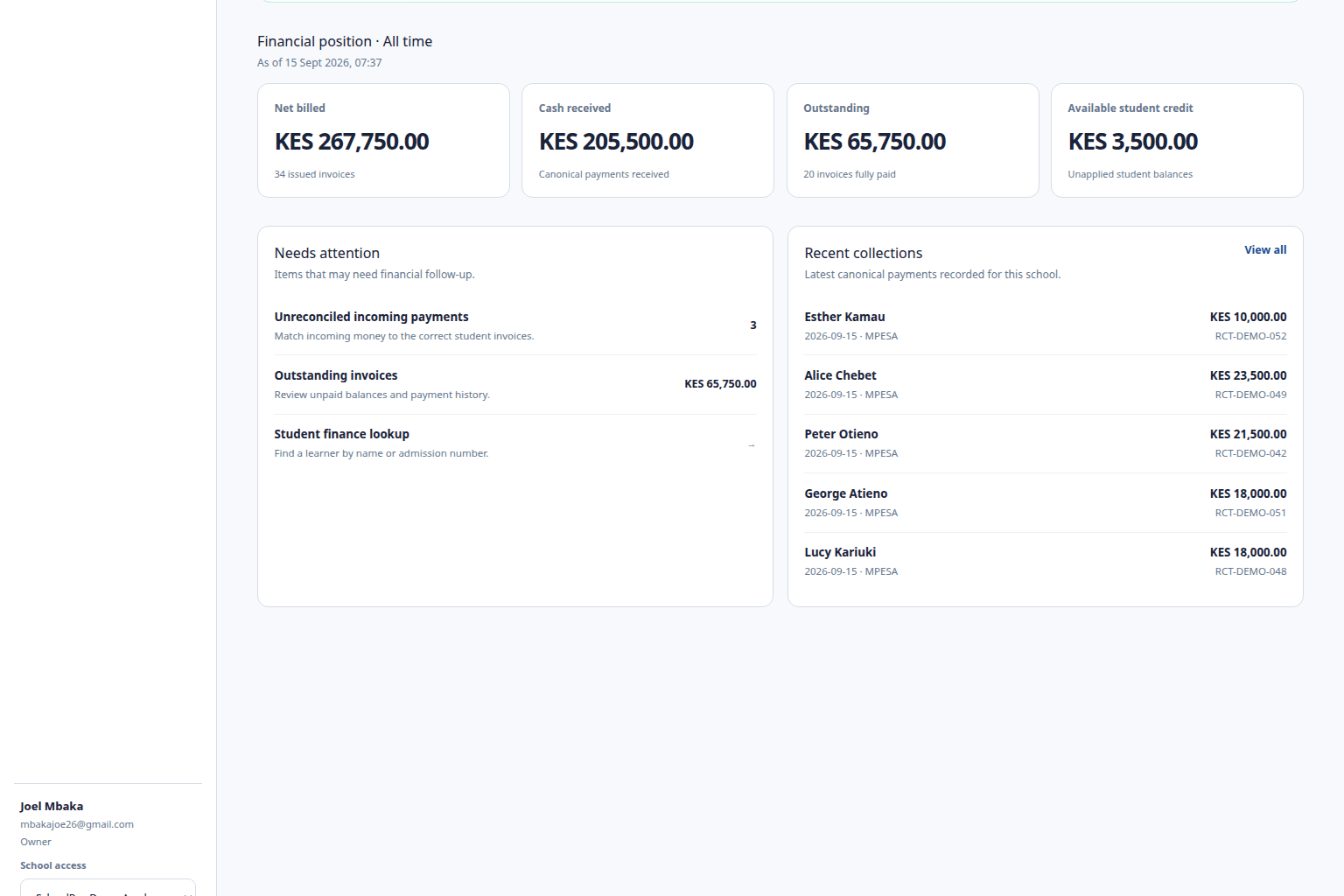
What SchoolPey covers
SchoolPey stays deliberately focused on the financial side of school fees rather than expanding into academic management.
Work across fee setup, students, invoices, payments, reconciliation, balances, receipts, statements, and reports from one school finance workspace.
Learn moreParents can start an M-Pesa payment from the relevant learner invoice while SchoolPey keeps the transaction connected to the school-fee record.
Learn moreConfirmed provider evidence can become one canonical payment, allocation, updated balance, credit entry where needed, and receipt trail.
Learn moreUse fee categories, published structures, term timing, add-ons, enrollment assignments, and learner-specific adjustments without hardcoded tuition columns.
Learn moreKeep partial payments, outstanding and overdue fees, overpayments, and available learner credit visible without hiding them inside a single total.
Learn moreGenerate payment proof and finance views from the same invoice, payment, allocation, and credit records used by the rest of SchoolPey.
Learn moreM-Pesa school fee collection
Parents can initiate an eligible payment from the invoice in the SchoolPey parent experience. After provider confirmation, SchoolPey keeps the payment evidence, allocation, balance, and receipt trail connected.
The parent approves payment through the normal M-Pesa flow.
SchoolPey does not receive or store the parent's M-Pesa PIN.
Confirmed money becomes part of the same canonical fee ledger used by reports and statements.
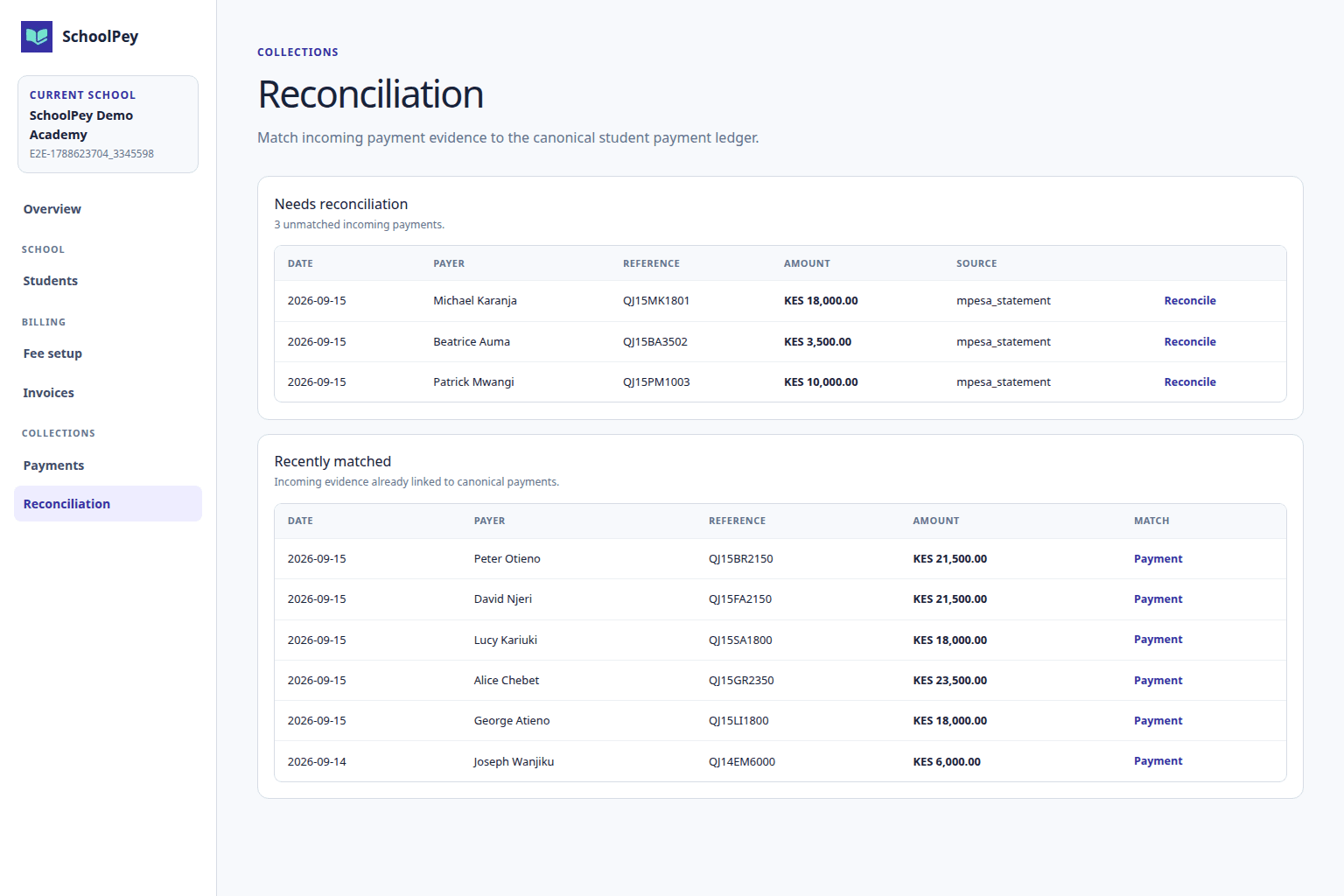
How the fee operation fits together
Define the fee structure, add-ons, term timing, and any learner-specific adjustments that should affect future billing.
SchoolPey creates a durable invoice for the learner and preserves it as a historical financial snapshot.
An eligible invoice can start the parent M-Pesa flow without SchoolPey ever receiving the parent's M-Pesa PIN.
The confirmed payment is tied back to the canonical payment ledger, invoice allocation, balance, credit, and receipt history.
School finance team
Owners and administrators can configure billing and operate school-fee workflows, while exact-school accountants can work with the finance views and transactions available to their role.
SchoolPey for schoolsParent app
Authorized parents and guardians can review invoices, balances, payment history, eligible M-Pesa payment flows, and receipts from the SchoolPey parent experience.
Explore the parent appFocused by design
SchoolPey uses academic years, terms, grades, and classes only where they identify billing context. The product does not add academic modules simply because a school already has those dimensions.
No exams or marks
No attendance
No timetable
No curriculum management
No teacher-management module
No HR or payroll
Simple pricing
Start with a one-month SchoolPey pilot, run the real school-fee workflow, and evaluate billing, collection, reconciliation, balances, receipts, statements, reports, and the parent experience before standard billing.
Frequently asked questions
SchoolPey is a school-fee financial operating layer for schools in Kenya. It connects fee setup, learner invoices, M-Pesa collection, payments, reconciliation, balances, learner credit, receipts, student fee statements, reports, and parent fee visibility.
No. SchoolPey is intentionally focused on school-fee finance. It does not provide exams, marks, attendance, timetables, curriculum, or other academic-management modules.
Yes. Eligible learner invoices can use the integrated M-Pesa payment flow. SchoolPey observes provider confirmation and keeps the resulting payment connected to the learner invoice and school financial history.
No. The parent approves the payment through the normal M-Pesa flow. SchoolPey does not receive or store the M-Pesa PIN.
Yes. A partial payment leaves the remaining invoice balance outstanding. An amount received above the amount allocated to invoices can remain as learner credit according to the canonical SchoolPey credit ledger.
Yes. Authorized parents and guardians can use the SchoolPey parent app to review children, invoices, balances, payment history, eligible M-Pesa payment flows, and receipts.
SchoolPey is currently positioned for primary and secondary schools in Kenya that operate with academic years and terms. Colleges, universities, and TVETs are outside the current product positioning.
SchoolPey is KES 7,000 per month. Schools can request a one-month pilot to evaluate the fee workflow before standard billing begins.
Run it with a real school
Request a one-month pilot and walk through fee setup, invoicing, parent payment, reconciliation, balances, receipts, statements, and reports.